

Aquí tenemos otro ejemplo de implementación de una máquina virtual simple con una dirección IP flotante. Los requisitos previos para esta pila son un router existente que está conectado a la red externa, como se puede ver a continuación:
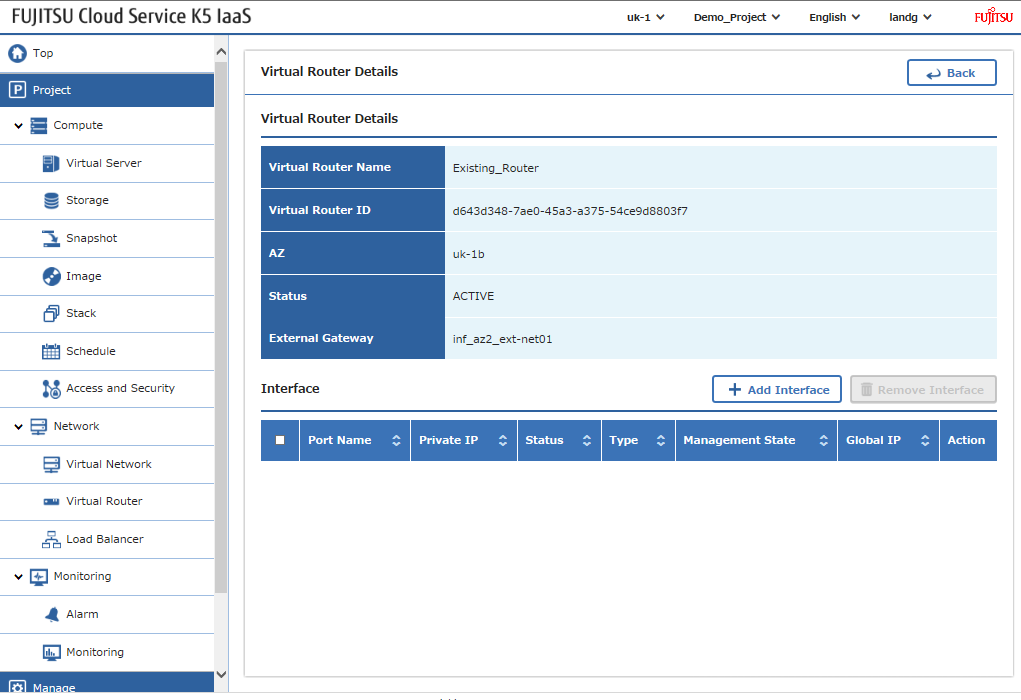
Y el ID de la red externa a la que se ha conectado el router:
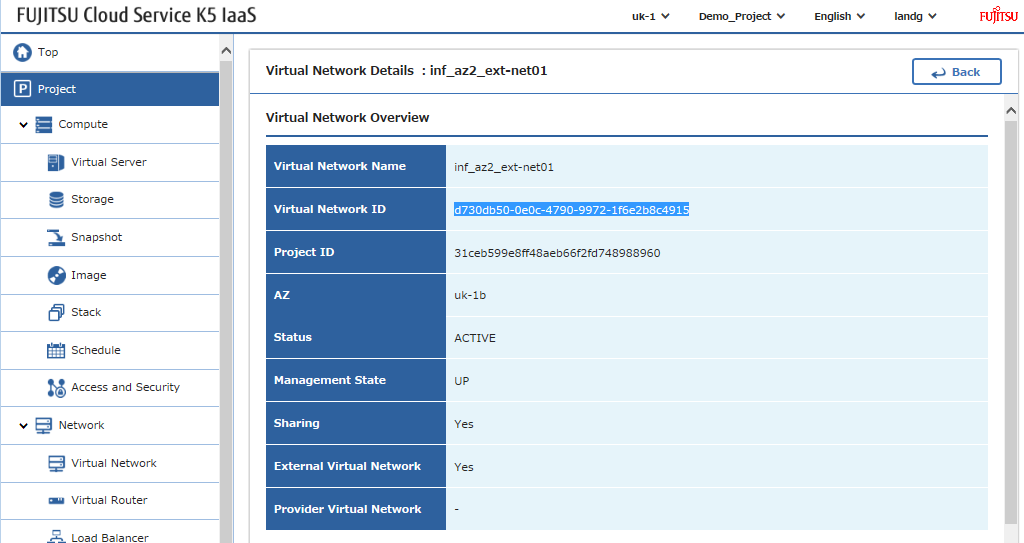
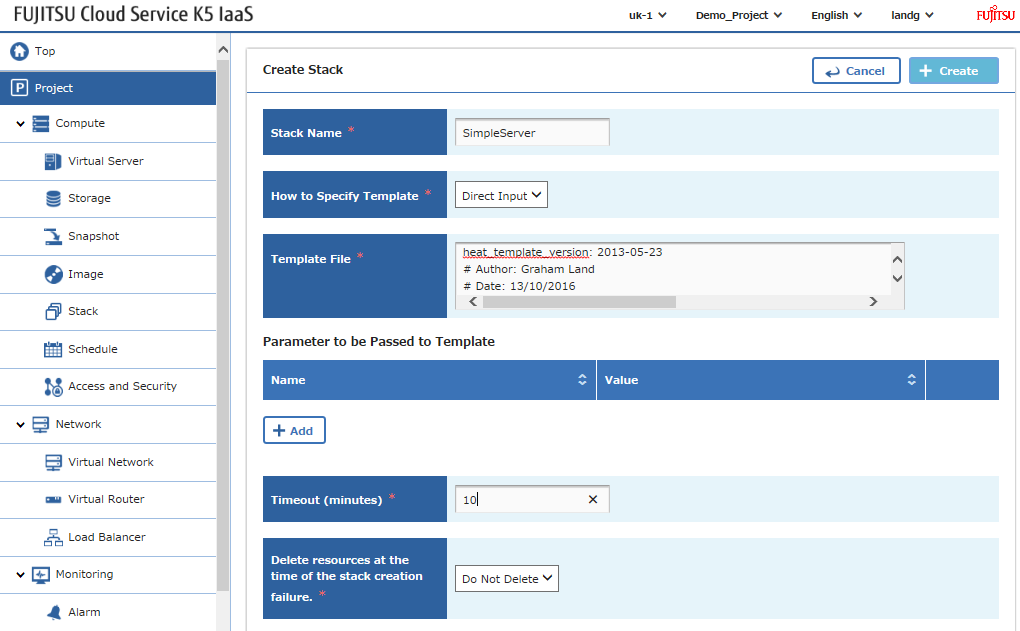
Modifica los parámetros de entrada de la pila para que se alineen con tu entorno y, a continuación, es simplemente el procedimiento habitual: carga y envía la pila.
Este archivo contiene texto Unicode oculto o bidireccional que puede interpretarse o compilarse de manera diferente a lo que aparece a continuación. Para revisarlo, abre el archivo en un editor que revele caracteres Unicode ocultos.
Más información sobre caracteres Unicode bidireccionales
| heat_template_version: 2013-05-23 | |
| # Author: Graham Land | |
| # Date: 13/10/2016 | |
| # Purpose: Simple template to demonstrate the basic format/usage of HOT stacks on our K5 platform | |
| description: Demo K5 template to build a private network, subnet, and instance with a global ip address – router and external network are prerequisites | |
| # Input parameters | |
| parameters: | |
| image: | |
| type: string | |
| label: Image name or ID | |
| description: Image to be used for compute instance | |
| default: "Ubuntu Server 14.04 LTS (English) 01" | |
| flavor: | |
| type: string | |
| label: Flavor | |
| description: Type of instance (flavor) to be used | |
| default: "S-1" | |
| key: | |
| type: string | |
| label: Key name | |
| description: Name of key-pair to be used for compute instance | |
| default: "demostack" | |
| public_net: | |
| type: string | |
| label: external network ID | |
| description: Public network | |
| default: "d730db50-0e0c-4790-9972-1f6e2b8c4915" | |
| private_net_name: | |
| type: string | |
| label: Private network name or ID | |
| description: Network to attach instance to. | |
| default: "hello-net" | |
| private_net_cidr: | |
| type: string | |
| label: Private network name or ID | |
| description: Network to attach instance to. | |
| default: "192.168.2.0/24" | |
| az: | |
| type: string | |
| label: Availability Zone | |
| description: Region AZ to use | |
| default: "uk-1b" | |
| ext_router: | |
| type: string | |
| label: External Router | |
| description: Router with external access for global ip allocation | |
| default: "d643d348-7ae0-45a3-a375-54ce9d8803f7" | |
| # K5 Infrastructure resources to be built | |
| resources: | |
| # Create a new private network | |
| private_net: | |
| type: OS::Neutron::Net | |
| properties: | |
| availability_zone: { get_param: az } | |
| name: { get_param: private_net_name } | |
| # Create a new subnet on the private network | |
| private_subnet: | |
| type: OS::Neutron::Subnet | |
| depends_on: private_net | |
| properties: | |
| availability_zone: { get_param: az } | |
| name: subnet | |
| network_id: { get_resource: private_net } | |
| cidr: { get_param: private_net_cidr } | |
| dns_nameservers: | |
| – 8.8.8.8 | |
| # Connect an interface on the private network's subnet to the router | |
| router_interface: | |
| type: OS::Neutron::RouterInterface | |
| properties: | |
| router_id: { get_param: ext_router } | |
| subnet_id: { get_resource: private_subnet } | |
| # Create a new port for the server interface, assign an ip address and security group | |
| server1_port: | |
| type: OS::Neutron::Port | |
| depends_on: [ router_interface,server_security_group ] | |
| properties: | |
| availability_zone: { get_param: az } | |
| network_id: { get_resource: private_net } | |
| security_groups: [{ get_resource: server_security_group }] | |
| # Allocate a floating/global ip address | |
| server1_floating_ip: | |
| type: OS::Neutron::FloatingIP | |
| depends_on: [router_interface] | |
| properties: | |
| availability_zone: { get_param: az } | |
| floating_network_id: { get_param: public_net } | |
| # Assign a floating/global ip address to the fixed server ip address | |
| server1_floating_ip_association: | |
| type: OS::Neutron::FloatingIPAssociation | |
| depends_on: server1_floating_ip | |
| properties: | |
| floatingip_id: { get_resource: server1_floating_ip } | |
| port_id: { get_resource: server1_port } | |
| # Create a security group | |
| server_security_group: | |
| type: OS::Neutron::SecurityGroup | |
| properties: | |
| description: Add security group rules for server | |
| name: hello-security-group | |
| rules: | |
| – remote_ip_prefix: 0.0.0.0/0 | |
| protocol: tcp | |
| port_range_min: 22 | |
| port_range_max: 22 | |
| – remote_ip_prefix: 0.0.0.0/0 | |
| protocol: tcp | |
| port_range_min: 80 | |
| port_range_max: 80 | |
| – remote_ip_prefix: 0.0.0.0/0 | |
| protocol: tcp | |
| port_range_min: 443 | |
| port_range_max: 443 | |
| – remote_ip_prefix: 0.0.0.0/0 | |
| protocol: icmp | |
| # Create a system volume for use with the server | |
| sys-vol: | |
| type: OS::Cinder::Volume | |
| properties: | |
| availability_zone: { get_param: az } | |
| name: "boot-vol" | |
| size: 30 | |
| volume_type: "M1" | |
| image : { get_param: image } | |
| # Build a server using the system volume defined above | |
| server: | |
| type: OS::Nova::Server | |
| depends_on: [ server1_port,server1_floating_ip ] | |
| properties: | |
| key_name: { get_param: key } | |
| image: { get_param: image } | |
| flavor: { get_param: flavor } | |
| admin_user: ubuntu | |
| block_device_mapping: [{"volume_size": "30", "volume_id": {get_resource: sys-vol}, "delete_on_termination": True, "device_name": "/dev/vda"}] | |
| name: "helloVM1" | |
| networks: | |
| – port: { get_resource: server1_port } | |
| # Define values to be returned following a successful stack build | |
| outputs: | |
| server_private_ip: | |
| description: IP address of server on private network | |
| value: { get_attr: [ server, first_address ] } | |
| server1_public_ip: | |
| description: Floating IP address of server1 in public network | |
| value: { get_attr: [ server1_floating_ip, floating_ip_address ] } | |
view raw
SimpleStack.yml
hosted with ❤ by GitHub
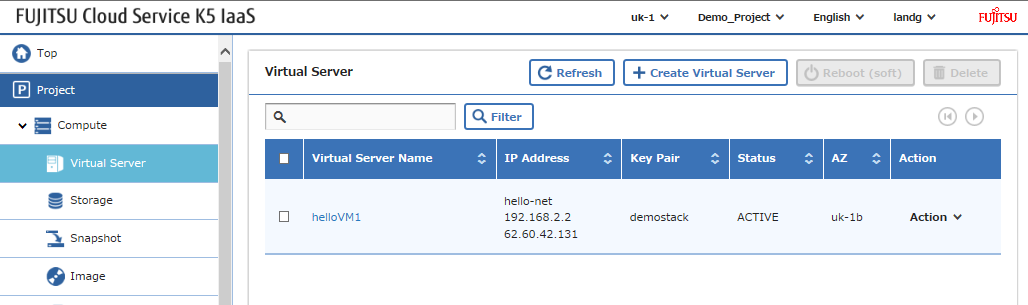
Y deberías terminar con algo como esto:
¡Feliz apilamiento!