

ここでは、フローティングIPアドレスを持つシンプルな仮想マシンのデプロイの別の例を示します。このスタックの前提条件は、以下に示すように外部ネットワークに接続された既存のルーターです。
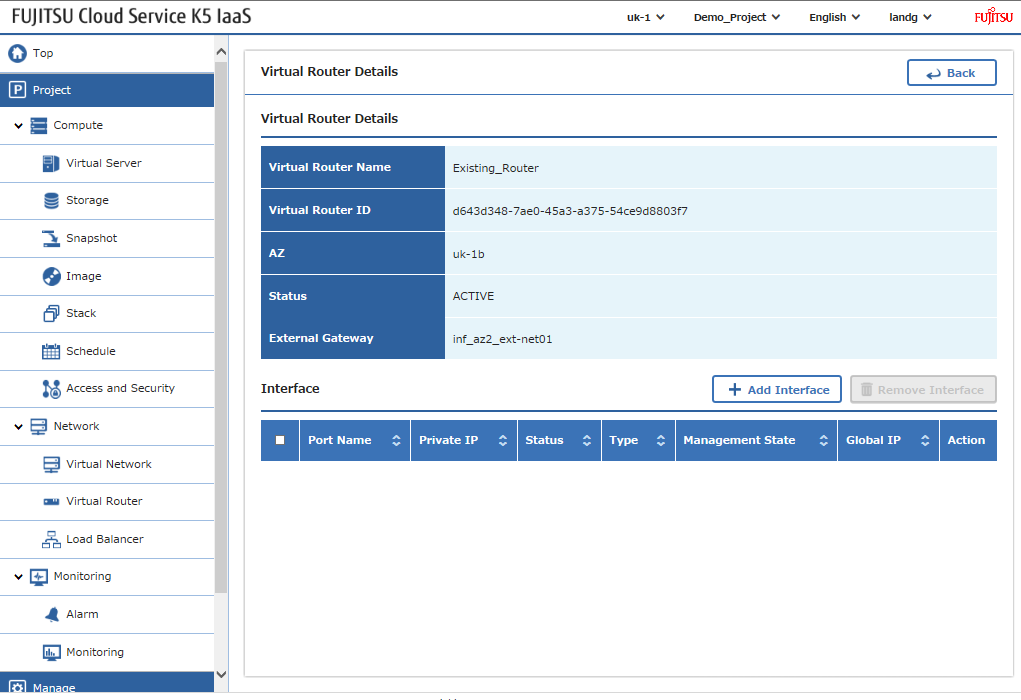
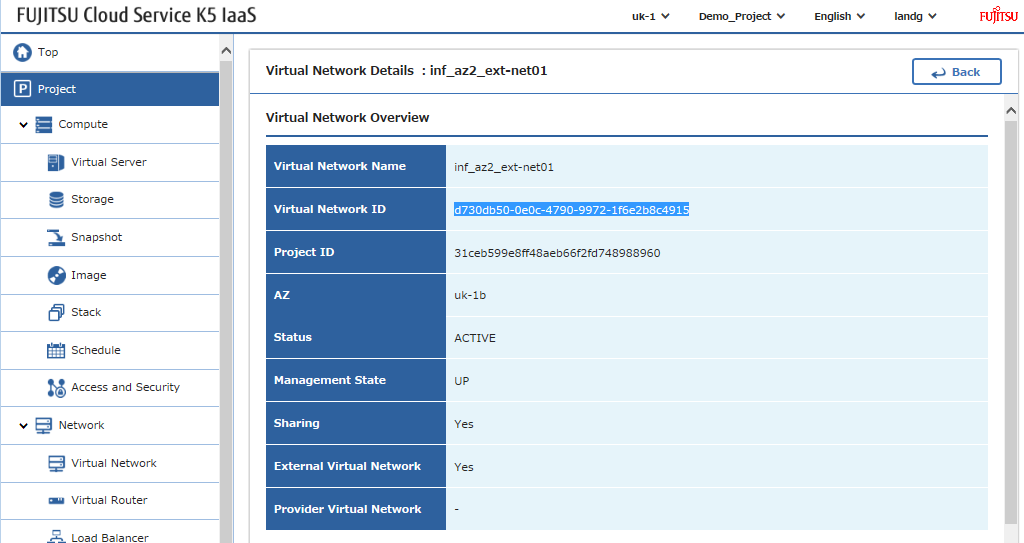
そして、ルーターが接続されている外部ネットワークのIDは以下の通りです。
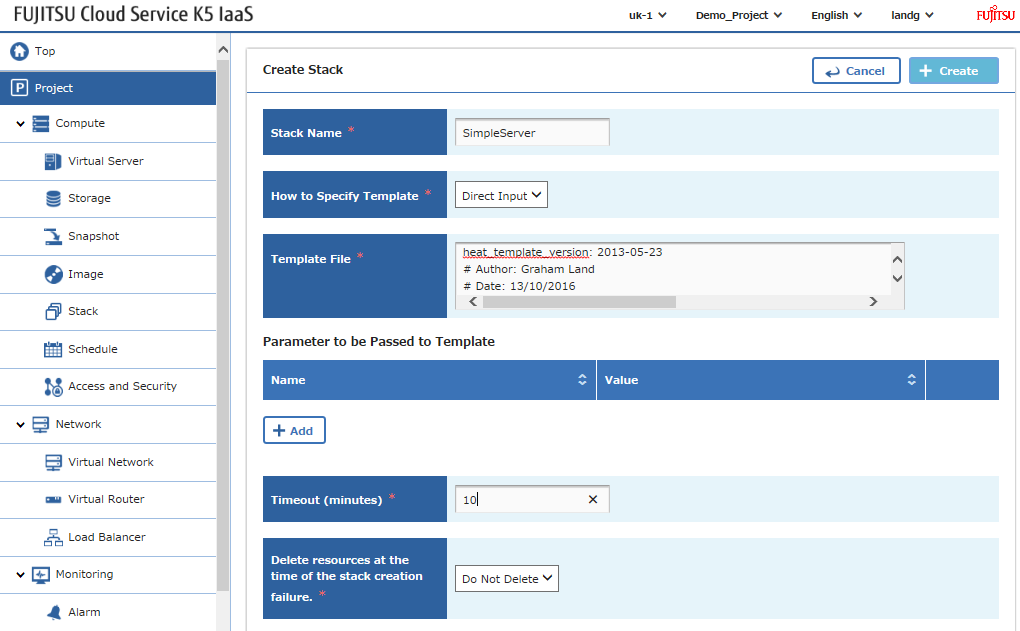
スタックの入力パラメータを環境に合わせて調整し、あとはいつもの通り – スタックを読み込んで送信します。
このファイルには、以下に表示されるものとは異なって解釈またはコンパイルされる可能性がある、隠されたまたは双方向のUnicode文字が含まれています。確認するには、隠されたUnicode文字を表示するエディタでファイルを開いてください。
双方向Unicode文字について詳しく見る
| heat_template_version: 2013-05-23 | |
| # Author: Graham Land | |
| # Date: 13/10/2016 | |
| # Purpose: Simple template to demonstrate the basic format/usage of HOT stacks on our K5 platform | |
| description: Demo K5 template to build a private network, subnet, and instance with a global ip address – router and external network are prerequisites | |
| # Input parameters | |
| parameters: | |
| image: | |
| type: string | |
| label: Image name or ID | |
| description: Image to be used for compute instance | |
| default: "Ubuntu Server 14.04 LTS (English) 01" | |
| flavor: | |
| type: string | |
| label: Flavor | |
| description: Type of instance (flavor) to be used | |
| default: "S-1" | |
| key: | |
| type: string | |
| label: Key name | |
| description: Name of key-pair to be used for compute instance | |
| default: "demostack" | |
| public_net: | |
| type: string | |
| label: external network ID | |
| description: Public network | |
| default: "d730db50-0e0c-4790-9972-1f6e2b8c4915" | |
| private_net_name: | |
| type: string | |
| label: Private network name or ID | |
| description: Network to attach instance to. | |
| default: "hello-net" | |
| private_net_cidr: | |
| type: string | |
| label: Private network name or ID | |
| description: Network to attach instance to. | |
| default: "192.168.2.0/24" | |
| az: | |
| type: string | |
| label: Availability Zone | |
| description: Region AZ to use | |
| default: "uk-1b" | |
| ext_router: | |
| type: string | |
| label: External Router | |
| description: Router with external access for global ip allocation | |
| default: "d643d348-7ae0-45a3-a375-54ce9d8803f7" | |
| # K5 Infrastructure resources to be built | |
| resources: | |
| # Create a new private network | |
| private_net: | |
| type: OS::Neutron::Net | |
| properties: | |
| availability_zone: { get_param: az } | |
| name: { get_param: private_net_name } | |
| # Create a new subnet on the private network | |
| private_subnet: | |
| type: OS::Neutron::Subnet | |
| depends_on: private_net | |
| properties: | |
| availability_zone: { get_param: az } | |
| name: subnet | |
| network_id: { get_resource: private_net } | |
| cidr: { get_param: private_net_cidr } | |
| dns_nameservers: | |
| – 8.8.8.8 | |
| # Connect an interface on the private network's subnet to the router | |
| router_interface: | |
| type: OS::Neutron::RouterInterface | |
| properties: | |
| router_id: { get_param: ext_router } | |
| subnet_id: { get_resource: private_subnet } | |
| # Create a new port for the server interface, assign an ip address and security group | |
| server1_port: | |
| type: OS::Neutron::Port | |
| depends_on: [ router_interface,server_security_group ] | |
| properties: | |
| availability_zone: { get_param: az } | |
| network_id: { get_resource: private_net } | |
| security_groups: [{ get_resource: server_security_group }] | |
| # Allocate a floating/global ip address | |
| server1_floating_ip: | |
| type: OS::Neutron::FloatingIP | |
| depends_on: [router_interface] | |
| properties: | |
| availability_zone: { get_param: az } | |
| floating_network_id: { get_param: public_net } | |
| # Assign a floating/global ip address to the fixed server ip address | |
| server1_floating_ip_association: | |
| type: OS::Neutron::FloatingIPAssociation | |
| depends_on: server1_floating_ip | |
| properties: | |
| floatingip_id: { get_resource: server1_floating_ip } | |
| port_id: { get_resource: server1_port } | |
| # Create a security group | |
| server_security_group: | |
| type: OS::Neutron::SecurityGroup | |
| properties: | |
| description: Add security group rules for server | |
| name: hello-security-group | |
| rules: | |
| – remote_ip_prefix: 0.0.0.0/0 | |
| protocol: tcp | |
| port_range_min: 22 | |
| port_range_max: 22 | |
| – remote_ip_prefix: 0.0.0.0/0 | |
| protocol: tcp | |
| port_range_min: 80 | |
| port_range_max: 80 | |
| – remote_ip_prefix: 0.0.0.0/0 | |
| protocol: tcp | |
| port_range_min: 443 | |
| port_range_max: 443 | |
| – remote_ip_prefix: 0.0.0.0/0 | |
| protocol: icmp | |
| # Create a system volume for use with the server | |
| sys-vol: | |
| type: OS::Cinder::Volume | |
| properties: | |
| availability_zone: { get_param: az } | |
| name: "boot-vol" | |
| size: 30 | |
| volume_type: "M1" | |
| image : { get_param: image } | |
| # Build a server using the system volume defined above | |
| server: | |
| type: OS::Nova::Server | |
| depends_on: [ server1_port,server1_floating_ip ] | |
| properties: | |
| key_name: { get_param: key } | |
| image: { get_param: image } | |
| flavor: { get_param: flavor } | |
| admin_user: ubuntu | |
| block_device_mapping: [{"volume_size": "30", "volume_id": {get_resource: sys-vol}, "delete_on_termination": True, "device_name": "/dev/vda"}] | |
| name: "helloVM1" | |
| networks: | |
| – port: { get_resource: server1_port } | |
| # Define values to be returned following a successful stack build | |
| outputs: | |
| server_private_ip: | |
| description: IP address of server on private network | |
| value: { get_attr: [ server, first_address ] } | |
| server1_public_ip: | |
| description: Floating IP address of server1 in public network | |
| value: { get_attr: [ server1_floating_ip, floating_ip_address ] } | |
rawファイルを表示
SimpleStack.yml
hosted with ❤ by GitHub
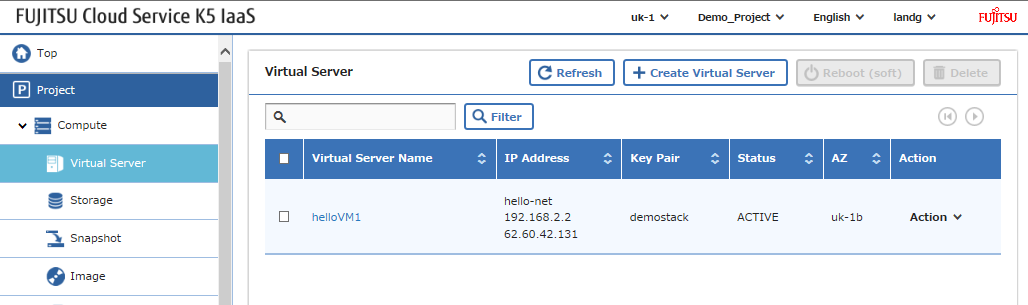
そして、以下のような結果が得られるはずです。
Happy Stacking!