

VYOS 1.1.8 image pre-wrapped for use/import into Fujitsu Cloud Service K5 IaaS
Image Import Process – Using Fujitsu K5 IaaS Portal
- Log into the Fujitsu K5 IaaS Portal, navigate to Storage → Object Storage, and create a new container to hold the vyos vmdk image.
- Upload the included
vyos_1.1.8.vmdkimage into the container created above.
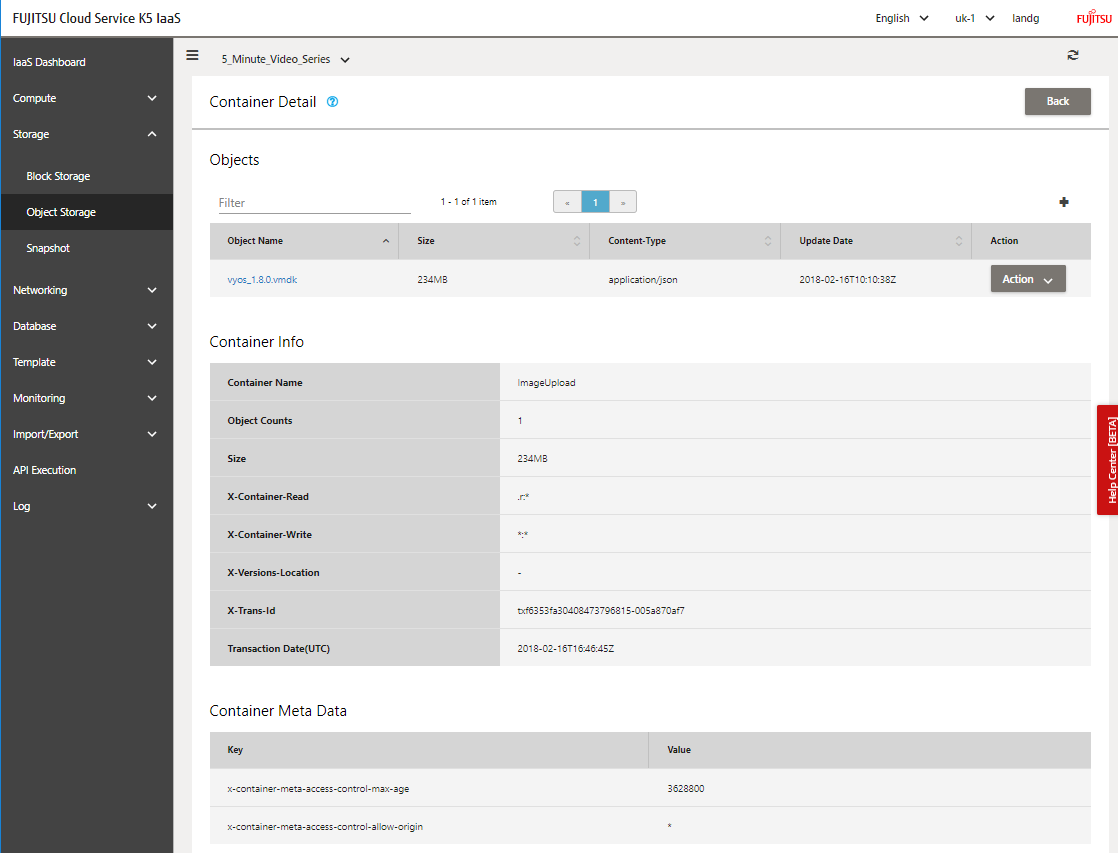
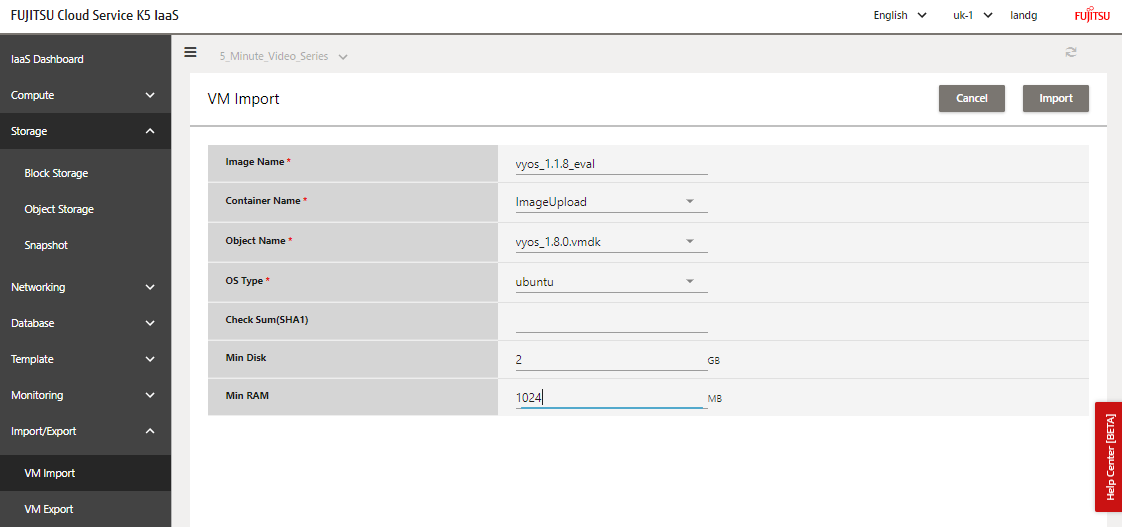
- Now select Import/Export → VMImport, and select the container where the image has just been uploaded. Complete the remaining fields.
- After ~20 minutes (mileage may vary), you should see something like this:
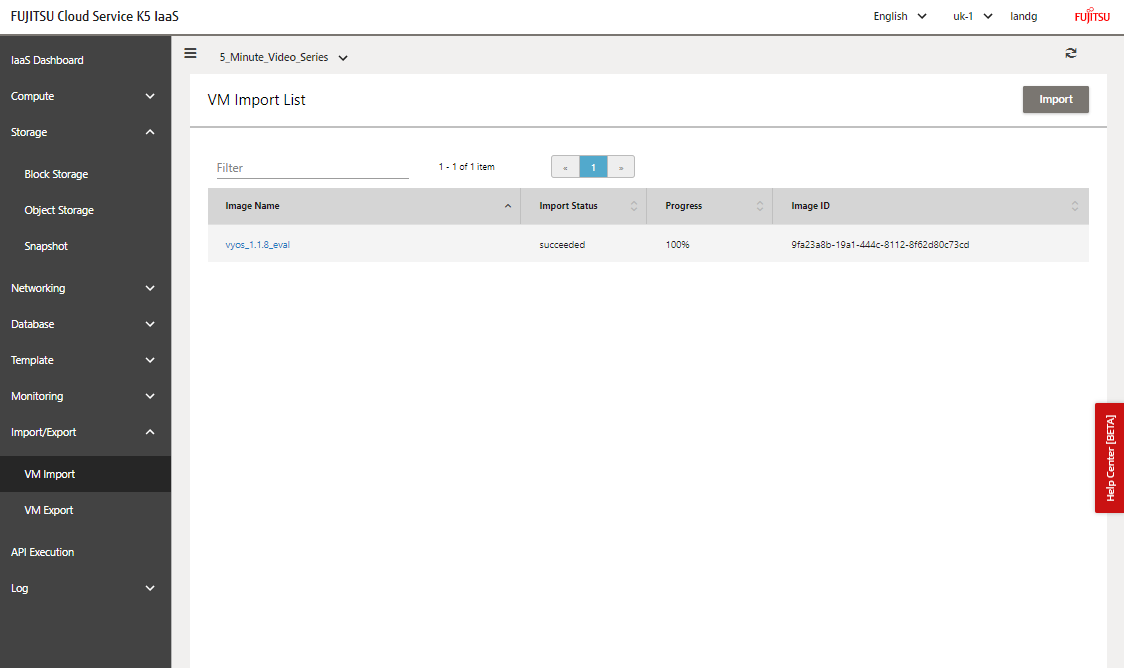
Image Deployment
This is the same as any other image now on K5. As the VYOS is an appliance with typically at least 2 network interfaces, I’ve included an OpenStack HEAT template in this repo that will deliver the following demonstration architecture for quick and easy testing:
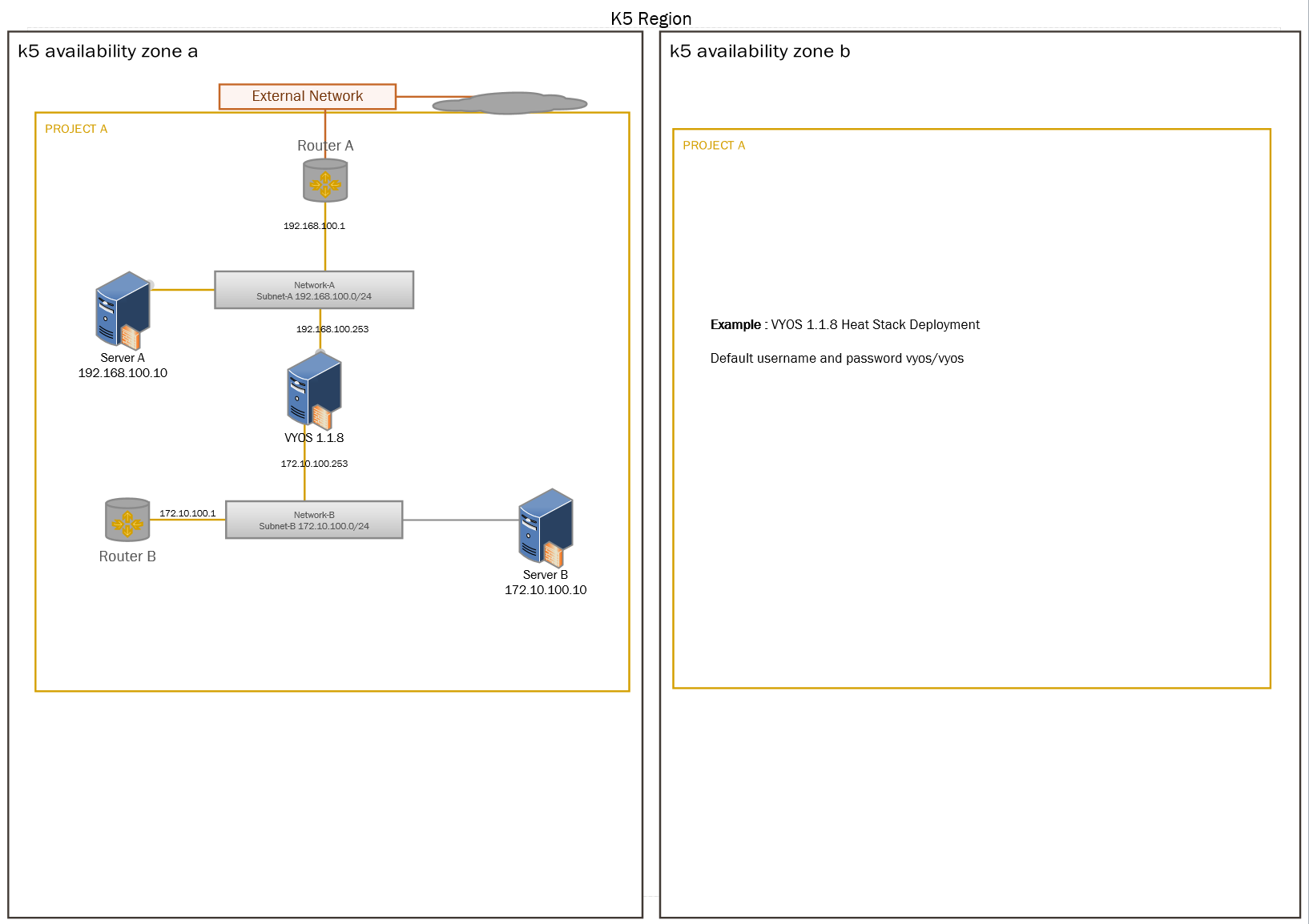
Github repo – https://github.com/allthingsclowd/VYOS_on_K5
CAUTION: Please don’t forget to configure allowed_address_pairs once the network design is complete.
See https://docs.openstack.org/dragonflow/latest/specs/allowed_address_pairs.html