

We all know the most important feature that CxOs want to see after they’ve dropped many k’s of pounds on a new Cloud solution – their corporate logo stamped on the portal, of course!
OpenStack Kilo has some nice new branding features built in with the introduction of themes. Details of how the official Horizon branding can be configured is located here. Please note that Helion OpenStack 2.0 uses the /opt/stack/venv/horizon-<date-time>/ as the base of it’s Horizon directory structure.
This blogpost is for those of us that aren’t interested in becoming CSS gurus but need to tick the box on an installation sheet that says “Corporate Branding on Portal”. It’s amazing the impact such a small logo has on customers – don’t underestimate it – always worth doing if you have time.
The changes involved are ridiculously easy.
HOS 2.0 out-of-the-box uses a theme called helion – within this themed directory is an image directory with two images:
logo.png[160×35 pixels] – the branding visible at all times on the top left hand side of the Horizon portal.logo-splash.png[350×75 pixels] – the branding visible on the login screen
Create two branded images, brand-logo.png and brand-logo-splash.png the same size as those outlined above – feel free to deviate from these image sizes. I stuck with them as they looked acceptable on the portal.


Now copy these images to the stack user’s home directory on all 3 controllers and then do the following on each controller:
# Execute these commands on each controller
# backup the current images
cd ~
sudo cp –pri /opt/stack/venv/horizon-20151022T080854Z/static/themes/helion/img/logo.png logo.png.orig
sudo cp –pri /opt/stack/venv/horizon-20151022T080854Z/static/themes/helion/img/logo-splash.png logo-splash.png.orig

# copy the new images over the original images – assumes that you’ve already transferred the new images to the stack home directory
sudo cp brand-logo.png /opt/stack/venv/horizon-20151022T080854Z/static/themes/helion/img/logo.png
sudo cp brand-logo-splash.png /opt/stack/venv/horizon-20151022T080854Z/static/themes/helion/img/logo-splash.png
If you wish to back these changes out simply copy the original images back as follows.
sudo cp logo.png.orig /opt/stack/venv/horizon-20151022T080854Z/static/themes/helion/img/logo.png
sudo cp logo-splash.png.orig /opt/stack/venv/horizon-20151022T080854Z/static/themes/helion/img/logo-splash.png
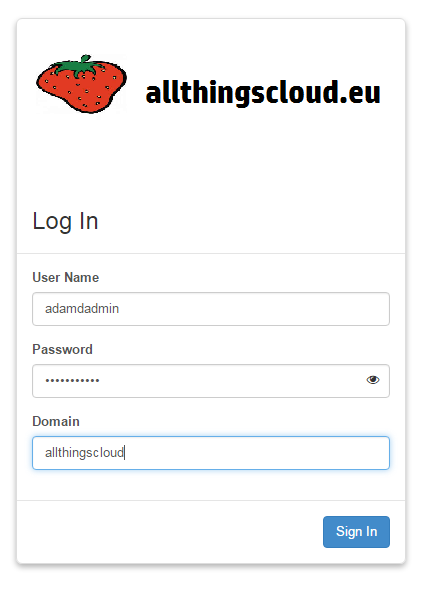
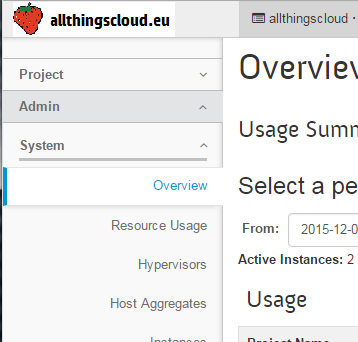
Now if you followed these instruction correctly, including the notes below, you should have a re-branded Horizon like so –
Notes
- You may need to use transparent images and adjust sizes.
- The
horizon-20151022T080854Zdirectory path will potentially be different on your systems – please amend accordingly. - Browsers cache images – ensure you refresh or flush your browser cache before thinking it’s not working … not that I’d ever make a mistake like that. 😉
UPDATE
A customer very kindly pointed out that the favicon (browser tab icon) which is also HP branded can be easily replaced with the following steps:
# Execute these commands on each controller
cd /opt/stack/venv/horizon-20151022T080854Z/static/dashboard/img
sudo cp -pri favicon.ico favicon.ico.orig
sudo cp -pri ~/edited_files/favicon.ico .
Thanks Stuart!